Showing posts with label API. Show all posts

Sunday, July 31, 2016

Image loading with Glide


Image loading seems like an easy task at the first glance but as every task, it has its' own caveats.

First of all, you probably want to do this asynchronously because you don't want to flood your main thread with that kind of tasks.

Then, you want to cache images so you don't load them every time your activity of fragment resumes.

You need to handle error cases when the network is not available or server is sending you garbage or doesn't send anything at all. If you don't do this it will definitely harm the user-experience.

After all, you probably need to do some pre-processing steps before showing the image to the user such as cropping, resizing, reversing etc. Also, it would be convenient to have an easy way to set an image in an ImageView.

You may ask: "Why do you think that you know what I need and want?". The answer is that you're not alone. Android developers already made tons of apps that use pictures from the network.

And what happens when many developers are facing the same problem? Right, they make (most likely an open source) library.

The libraries

There are many libraries that solve the problem and, on the high level, they do it pretty much similar. For example, if you just want to load the image in the image view you will write something like this

String imageUrl 
    = "http://i1.kym-cdn.com/photos/images/facebook/000/002/109/orly_owl.jpg";
LibraryClass.with(context).load(imageUrl)
    .into(imageView);

No matter what concrete library you use (except it's something really exotic).

The most popular ones are Picasso, ImageLoader, Glide, and Fresco (made by Facebook). It's hard to say which one is the best one and developers say that picking one is the matter of taste. But I think that it's worth to mention that Gilde and Fresco support gif loading and Glide is recommended by Google.

Facebook engineers also say that Fresco is more optimized in terms of memory usage but when considering this note that Fresco is not as well tested as Picasso, Glide, and ImageLoader (which is the oldest one).

To show examples I will use Glide because I have been working with it.

Image Loading

First of all, to use Glide you need to add a Gradle dependency.

compile 'com.github.bumptech.glide:glide:3.7.0'

There are several ways you can use an image in your app. You can load it directly in an image view or save its' bitmap to use it anywhere else, for example, in a notification.

Let's consider first use-case. To simply load an image in an image view you must write exactly the code above except you must change LibraryClass to Glide that is it will look like this 

Glide.with(requester).load(imageUrl)
    .into(imageView);

I intentionally changed context to requester to emphasize that it could be not context. with() methods accepts Activity, Context, or Fragment as an argument which in my opinion is very handy.

There are many small features that will make UX of your app much better. For example placeholders, you definitely don't want your user to watch on the empty screen while your images are loading, your app should indicate that it's loading something to show to the user. Placeholders are the great way to do that. It can be a message that says that image is loading, loading animation or simple gray pane that shows that something should be there.

And placeholders are really well implemented in Glide (as well as other libraries) and it's easy to use. That's how it's done.

Glide
    .with(requester)
    .load(imageUrl)
    .placeholder(R.drawable.image_placeholder)
    .into(imageView);

You can show error image (the image that should be shown if something went wrong) using the same way

Glide
    .with(requester)
    .load(imageUrl)
    .error(R.drawable.image_error)
    .into(imageView);

In both of these methods, you can pass a Drawable object as the argument instead of resource id.

The second feature that can enhance UX of your app is animations. When your image appears out of nowhere in a blink of an eye it's kinda little disturbing and doesn't look like things act in the real world, which is a violation of Material Design guidelines.

In Glide as well as many other libraries there is a built-in way to animate the appearance of your images. In Glide you can do this using crossFade() method.

Glide
    .with(requester)
    .load(imageUrl)
    .placeholder(R.drawable.image_placeholder)
    .error(R.drawable.image_error)
    .crossFade()
    .into(imageView);

Also, you can pass an int as an argument to set the duration of the fade animation.

Load as Bitmap

To load image as bitmap you just need to use method asBitmap() set the constraints and use get() like this


Glide
    .with(requester)
    .load(imageUrl)
    .asBitmap()
    .placeholder(R.drawable.image_placeholder)
    .error(R.drawable.image_error)
    .into(width, height)
    .get();

Note that get() should be used only in a background thread which, in my opinion, is fair. If you don't use your image in UI why would you download it in UI thread?

Summary

Image loading includes many steps that cannot be removed from the process and these steps sometimes, not hard but dreary to implement. But the code as everything else ever written is (if properly constructed) reusable and programmers make new libraries every day since the beginning of the programming era.

Libraries as Glide make it possible to load images in just one line of code providing you with the instruments that will make your users' experience better. 

P.S. If you want to dive in and learn about Glide in details visit their javadocs and GitHub Wiki.

Sunday, July 24, 2016

Introduction to Firebase Database for Android


I've already written a post about Firebase and its' features but features highlighted in the post are additional to the core functionality of Firebase.

What is this core functionality? Well, this is the thing that Firebase started from. It's Realtime Database.

A real-time database is, basically, the database that can effectively store dynamic data. By dynamic, I mean data that is constantly changing for example stocks prices.

Firebase Database

So Firebase has its' own built-in real-time database which you can use as a backend for your app. Let's consider the structure of this database.

First of all, it's worth to mention that this database is not relational and doesn't use tables as you might expect. It uses JavaScript Object Notation (JSON) to store the data so it's kinda "object-oriented" database. 

I think that this it an advantage at least for developers because JSON, in my opinion, is easier to understand than relational tables if you're working within an object-oriented language. Also, using JSON eliminates some pitfalls that are associated with relational tables but, as always, brings some others.

The second important thing that Firebase Database is stored in the cloud and Firebase provides its' own hosting for it so you don't need to care about it. The amount of space you allowed to work with is described in your subscription plan.

And the most important feature in terms of development is that you can set data change listeners that will fire every time data in the database is changed and moreover give you a snapshot of changed node in the object tree.

Now when we have a big picture let's dive in and look how it works.

Closer Look

From this point, I assume that you have an account for Firebase.

First of all, we need to create our application.

App creation window

You can choose any name you like whereas app URL should be unique for every app registered in firebase. 

When you successfully created your app you can enter your dashboard and see an empty database.


Now you can go ahead and add some data directly from the dashboard or use the SDK to do so from your Android, iOS or Web app. Let's try do add something manually.

Manually added nodes

The important thing to notice that every node in the tree has its' own URL, we will use it later to refer to the concrete piece of data and attach a change listener to it.

Android SDK

For instructions on how to add Firebase to your Android app visit this page.

To use the database in our app we should add this gradle dependency in our app 
com.google.firebase-database:9.2.1

Now let's write some data to our database using Android app. One of the greatest things about this SDK is that you can write into the database using Plain Old Java Objects (POJO). This feature gives you an opportunity to keep your code clean and on the consistent level of abstraction.

Let's create POJO for our messages

public class Message {
    private String author;
    private String message;

    public Message (String auth, String msg) {
        this.author = auth;
        this.message = msg;
    }
    
    public String getAuthor() {
        return author;
    }

    public String getMessage() {
        return message;
    }
}

Note that for every field in Message class there is a public getter. It's a rule of SDK. If you don't have a public getter for some of the field you may get an exception so be sure to check that.

And the actual write method will look like this.

private void addMessage(String author, String message) {
    Firebase ref = new Firebase("https://tomasteryexmpl.firebaseio.com/chat/messages");
    Firebase messageRef = ref.push();

    messageRef.setValue(new Message());
}

It should be a method of the class that handles your database workflow. You can also pass composed Message object instead of author and message separately.

Let's do some clarifications. The ref variable stores a reference to the list of messages that we made earlier.

Method push() creates the unique key for the new entry in this list and returns its' reference in the database so messageRef stores reference to the new message.

When you have your reference you can easily write data to it using setValue(Object) method. And now you're done this method will successfully write your messages to the database and each message will have its' own unique key. Kinda easy, huh?

Let's look what happened to our data.

Added a message with unique code

Read the Database

In Firebase data reading differs from standard databases. To read from a database you should attach an asynchronous listener to the node you want to read. This listener will be triggered first time for initial state and every time data in this node is changed.

There are 2 types of listeners: ValueEventListener and ChildEventListener. The difference, basically, is that ValueEventListener will send you a snapshot of the whole object when it's changed while ChildEventListener will only send a snapshot of the changed child.

To listen for the messages it will be better to set a ChildEventListener to messages node so that we don't get the full list of messages every time a new message is sent.


private void setMessageListener() {
    Firebase ref = new Firebase("https://tomasteryexmpl.firebaseio.com/chat/messages");

    ref.addChildEventListener(new ChildEventListener() {
        @Override
        public void onChildAdded(DataSnapshot snapshot, String previousChildKey) {
            Message newMsg = snapshot.getValue(Message.class);
            addMessageToUI(newMsg);
        }
        //... ChildEventListener also defines onChildChanged, onChildRemoved,
        //    onChildMoved and onCanceled, covered in later sections.
    });
}

And that's pretty all that you need to do to set a child listener to a node. Now every time a message is added to the database addMessageToUI will be called and you will see your message in your app. There are libraries that can do that for you (like Firebase UI) but these are out of the scope of the post.

To get more information about reading the database visit this page in Firebase Docs.

This is pretty all that you need to know to build a basic Android messaging app. For me, it looks extremely easy in comparison to all the backend mess that you would set up without Firebase.


Sunday, June 5, 2016

Benefits of Awareness

Today apps are more and more bound to the users context and developers seek for the way to provide a unique experience for each and every user.

One of the first apps that were designed to do so was Google Now a Google's smart mobile assistant that was meant to provide the user with information like weather, traffic, flight delays even before the user needs it.

To make this kind of apps, you need to be aware of user context. What is around him? Is it raining? What is he doing?

To answer these questions, you need to use sensors, a bunch of APIs and do it all in the background. It means that your app will drain the battery and affect the system health even if it's not accessed at the moment.

Bad influence on the battery life can be the cause of your app deletion from user's smartphone.

But these battery and performance optimizations can be a cause of pain for the developer. You need to develop the main idea of your app to make it clear and straight.

And here comes Awareness API.

As was said in my previous post I will tell you about what it is and how you can use it.

It didn't come out yet, but you can sign up for early access today and try it for your app.

What it is

As I said Awareness API was made to provide your app with information about the user's context.

It can give 7 different types of context like location, place, activity, time, weather, beacons nearby, and headphones status.

The nicest thing about the API that it manages its' impact on battery life automatically. So you only need to request the data about context and you can almost forget about managing system health when doing so.

The API itself consist of two distinct APIs that your app can use depending on how you want to use context information.

The first one is the Fence API


Fence API is like a watcher that will tell you when the event that you need to react to is happening. 

Generally, it looks like this, your app telling the API "hey, I need to know whenever my user is walking near a Whole Foods store", in this case, you use two types of context: activity and place. When the user's context match this conditions your app will be notified about it even if it's not running at the moment.

Using this information you can send a notification, for example, about a planned shopping trip.


And the Snapshot API

This API lets your app get information about the context that surrounds user at the moment.

In this case, your app is already performing some operations and then request the API, "Hey, I need to know what user is doing now and where he is". It can be useful for apps that store some kind of data produced by the user such as photos, videos, audio records etc. 

For example, you can request weather conditions and location for your photo app to make your gallery more convenient, classify photos by location or weather or kind of places (work, home, coffee shops etc.) they made at.

It also can be useful for analytics. You may want to know if what conditions your users use your app more often to make it better for this certain situations.

Types of context

Here are 7 types of context and what information they can provide
  • Time - this will provide you with current local time.
  • Location - this is the pure location on the map. Latitude and longitude.
  • Place - place and the kind of place (if can be identified).
  • Activity - accurately detected user activity like running, walking, riding a bicycle etc.
  • Weather - current weather conditions at the user's location.
  • Headphones - are headphones plugged in?
  • Beacons - namespace, type, and content of nearby beacons.

Using these you can build extraordinary apps and provide your users with content based on their current context and all this with minimalized impact on battery life and system health.

Share your use-cases in the comment section below.

This is all for today, see you next week, peace!

Sunday, May 29, 2016

Why I'm charmed by FireBase

What is Firebase


Firebase is a cloud service provider for mobile and web developers.

It was originated as real-time database service in 2011 and still it's the crucial characteristic of it.

But with it, Firebase offers the huge amount of features. Like built in Analytics, App Indexing, Hosting, Authentication, brand new Dynamic Links, Notification handling, Crash Reporting, and AdMob.

Most of these are totally free. There also paid plan featuring testing and Google Cloud Platform integration.

These features are new and were presented at Google I/O 2016, for me it was one of the most exciting parts of the keynote. I didn't put it in My Top 8 Announcements From Google I/O 2016, though. Because I think it worth to write a separate post about.

What I like the most about it is that it gathers almost all backend that you need for your mobile or web app in one place and manages everything for you. You don't need to connect your app with Google Analytics, AdMob, a real-time database, etc. separately, now you can have all these in one place.

And new features like Dynamic Links and Remote Config are awesome. They bring user experience to the new level without any hard work from the developer.

Dynamic Links

The most annoying issue in mobile for me is that browsing experience is always inconsistent, unlike the web.

Deep Links were here to solve the problem, they were great in theory, but in fact, they didn't work as we wanted.

Dynamic Links also don't solve this problem completely (Instant Apps do) but they ease the pain from it and do it way better than classic Deep Links.

Basically, Deep Link is the URL that knows about your users' context and depending on that context it can provide various behavior.

It can get your user to your website/app store page or directly to your app depending on whether your application is installed on the users' phone. It will behave differently on Android, iOS, and desktop.

The most remarkable part is that it can survive app store installation process and you can use the context of your user to bring him the best service when he opens your app for the first time or bring him to particular content within your app (for example some recipe in cooking app) that was encoded in the link.

Dynamic Liks are the base for Firebase Invites.

Invites

These really can help you to grow your app. People are most likely will use your app if they receive an invite from a friend.

It's not a new concept. Invites were invented long time ago, but developers were on their own in implementing them.

In the beginning, there were referral codes and I can't imagine that someone will be doing this copy-paste-email-copy-paste mess for %5 discount.

After that, developers started using referral links to achieve the similar effect, but still, the mess.

Some apps have UI for invites that are very convenient, a user just need to make 2-3 taps to invite a friend and the invited friend should do 2-3 taps to start using the app with the help of Deep Links.

But do you have time to implement that? Your main care is your app, not bells and whistles. But invites are important bells and whistles, invites can make the difference between success and failure of your app.

Fortunately, Firebase team did all the dirty work for you and brought Firebase Invites to you, so you can focus on your app functionality instead of making your own invites.

As I said, they are using Dynamic Links so you can be sure that UX will be fine.

And when you have an audience you need to re-engage with it. Remote Config will help you to do so.

Remote Config

We live in information century and today this information transfers really fast, we need some tools that will help us to react to this and bring better user experience across all devices.

One way to handle it is updating your app, but to do so you need to pass through all these development cycles like redesigning, redeveloping, testing etc. it's too slow, you can lose your users while trying to bring the new update.

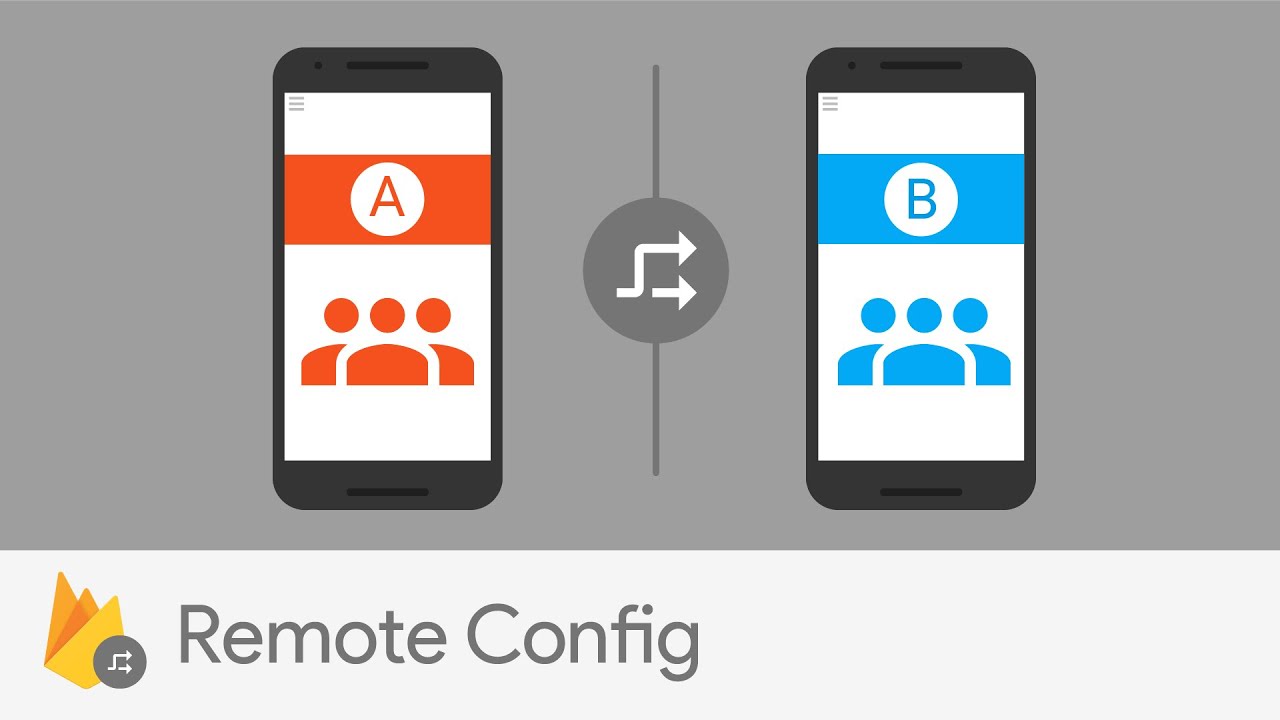
To avoid this FireBase presented Remote Config. Essentially, it's key-value table that is stored in the cloud. But despite its' simplicity, it's all you need to react incredibly fast to feedback from your users.  

We are not prefect, we can do typos in our apps' text, and this is hraming user expreience, but now we don't need to repuload our app in app store just because of typos or something like that, just chnage the value of string with typo in your Firebase Console and you're done. (typos are annoying, aren't they?)

People from Firebase shared a great use-case for mobile games.

Consider you have a group of people that are too good in your game. They are getting 3 stars at any level. It's not what games are about, right? They want the challenge (remember flappy bird?), something that will make them try harder.

Ok, so you can bring them the challenge, make this levels harder, but they are the only group, what will be with other users?

It's not a problem now! There is a feature called Audience Segmentation that allows you to apply different configurations for different groups of users. You just make level settings to make it harder for those users that making great success in your game and you're done, again.

Also, you can use it to test a new feature on a small group of your users before showing it to everyone.

But wait, where you will get this all information, about what your users need the most.

Here's where Analytics come in.

Analytics

Analytics is not a new feature. Firebase Analytics just gather all analytic tools in one place (and that's as I said one of the greatest things about Firebase).

What I like the most in Analytics is Audiences. 

You can group your users by how they behave in your app. Are they making purchases? Are they from Japan? Are they too good in your game? Knowing all this you can provide different service to different users. Make your app flexible. 

And you can make your own custom events that will describe the group of users.

For example, if you have an online store app like eBay, you can make Audience of users that have a car (using Awareness API, that I will discuss in later posts) using the custom event to send them notifications about sales on items related to vehicles and increase your revenue from it.

Summary

Firebase is a generalization of developing experience since the moment the Intenet was invented. It has a plethora of tools for developers that'll provide great UX. 

I didn't try it out yet, but can't wait to get my hands on it and be sure I'll share the experience of using it in this blog.

There are many other features if Firebase to develop your app, grow it, and earn from it. These are just most important in my opinion and if you want me to describe them too just let me know in the comment section below.  

You can find the docs and other information here.

This is all for today, see you next week!